Press

Press kit

Linea Prompt is a native macOS app for reusable prompt work. A single hotkey summons the Blueprint Library wherever you're working. Variables and Context make repeated prompts fast to fill in, every inject is recorded in Injection History, and Time Machine keeps a version history of each Blueprint. Linea Prompt is in open beta as a free, direct macOS download.

About 16MB. Every image on this page, plus the app icon.

Fact sheet

Name
Linea Prompt
One-liner
Any prompt, one keystroke away.
Platform
macOS, direct distribution
Status
Free, open beta. Founder terms apply before Linea Prompt 1.0.
Developer
Akgunay Labs
Site
lineaprompt.com
App captures

Full app captures

Real captures from the Linea Prompt app on a synthetic demo library. No real client names, files, or account data appear in any image.
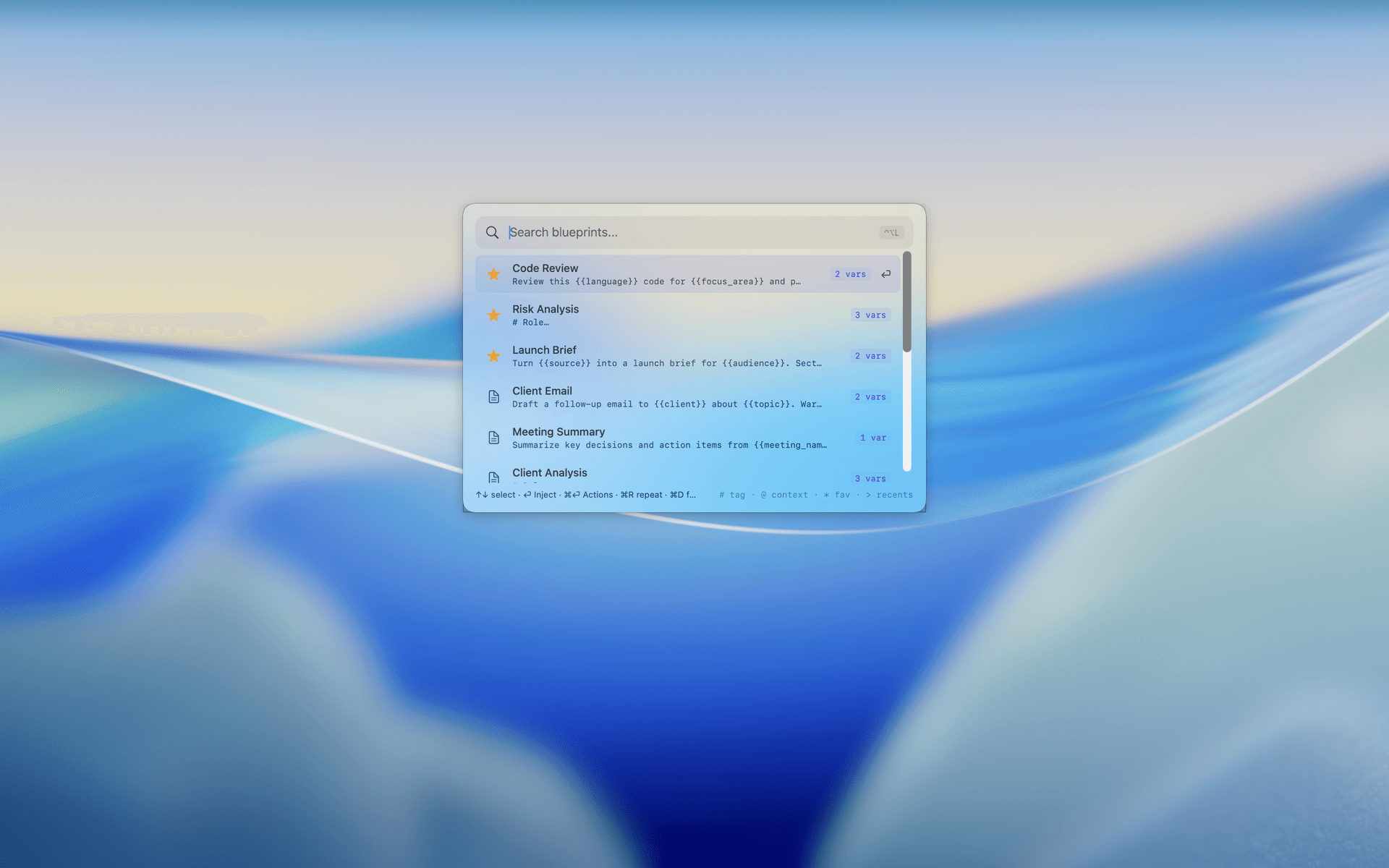
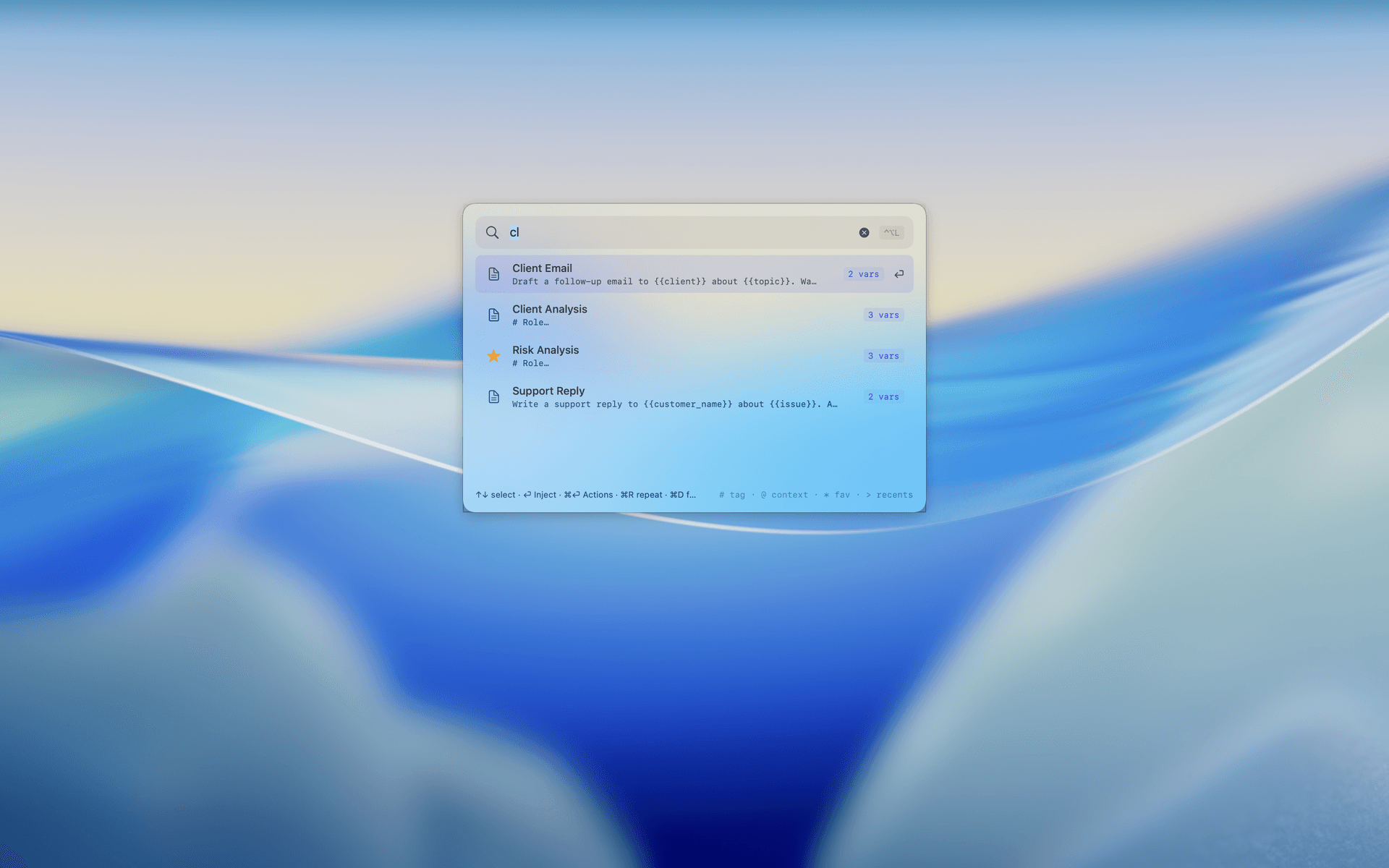
LightThe launcher summoned over the desktop — search Blueprints, first result selected (light appearance)
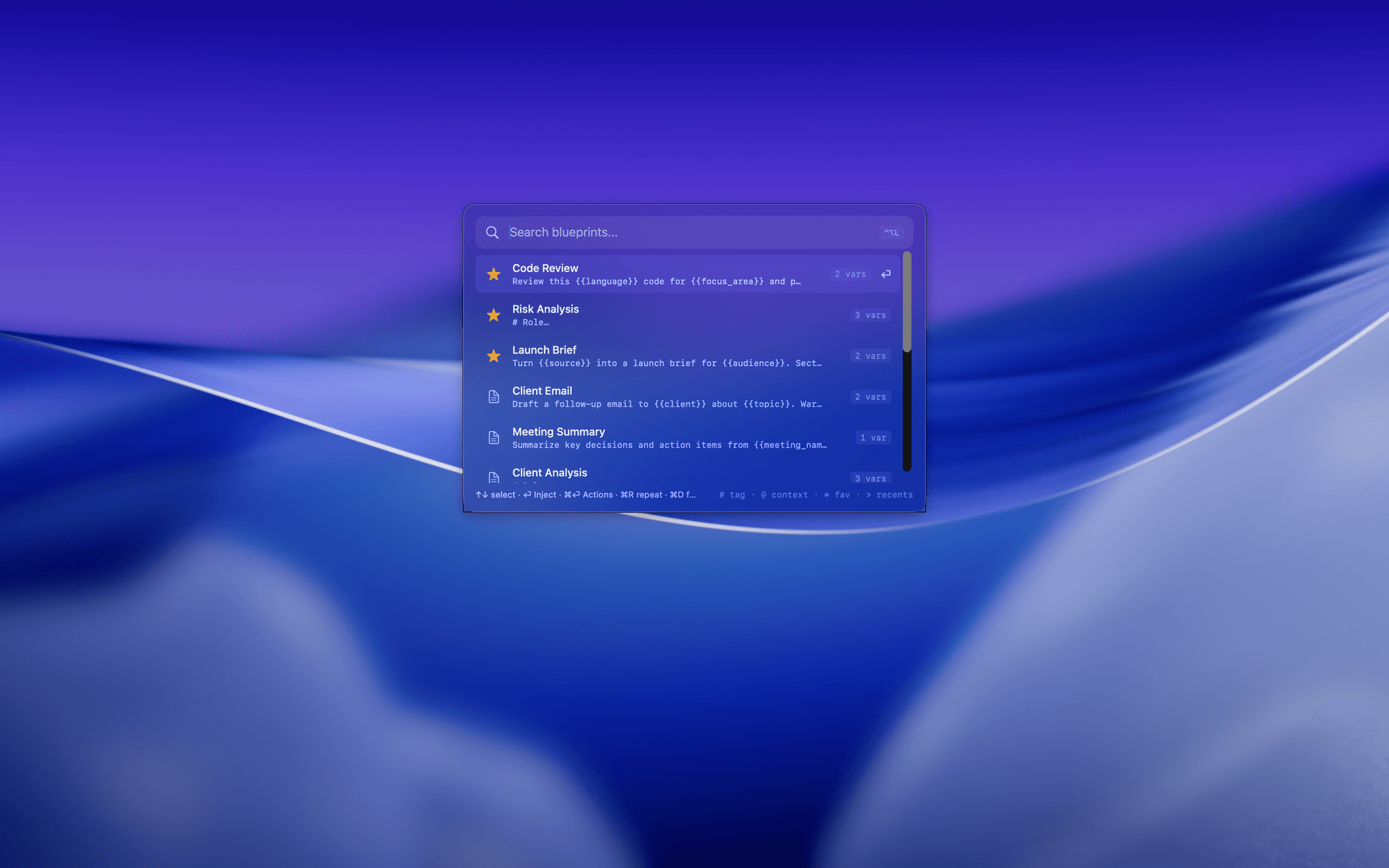
DarkThe launcher summoned over the desktop — search Blueprints, first result selected (dark appearance)
The launcher summoned over the desktop — search Blueprints, first result selected
Launcher filtering Blueprints as you type
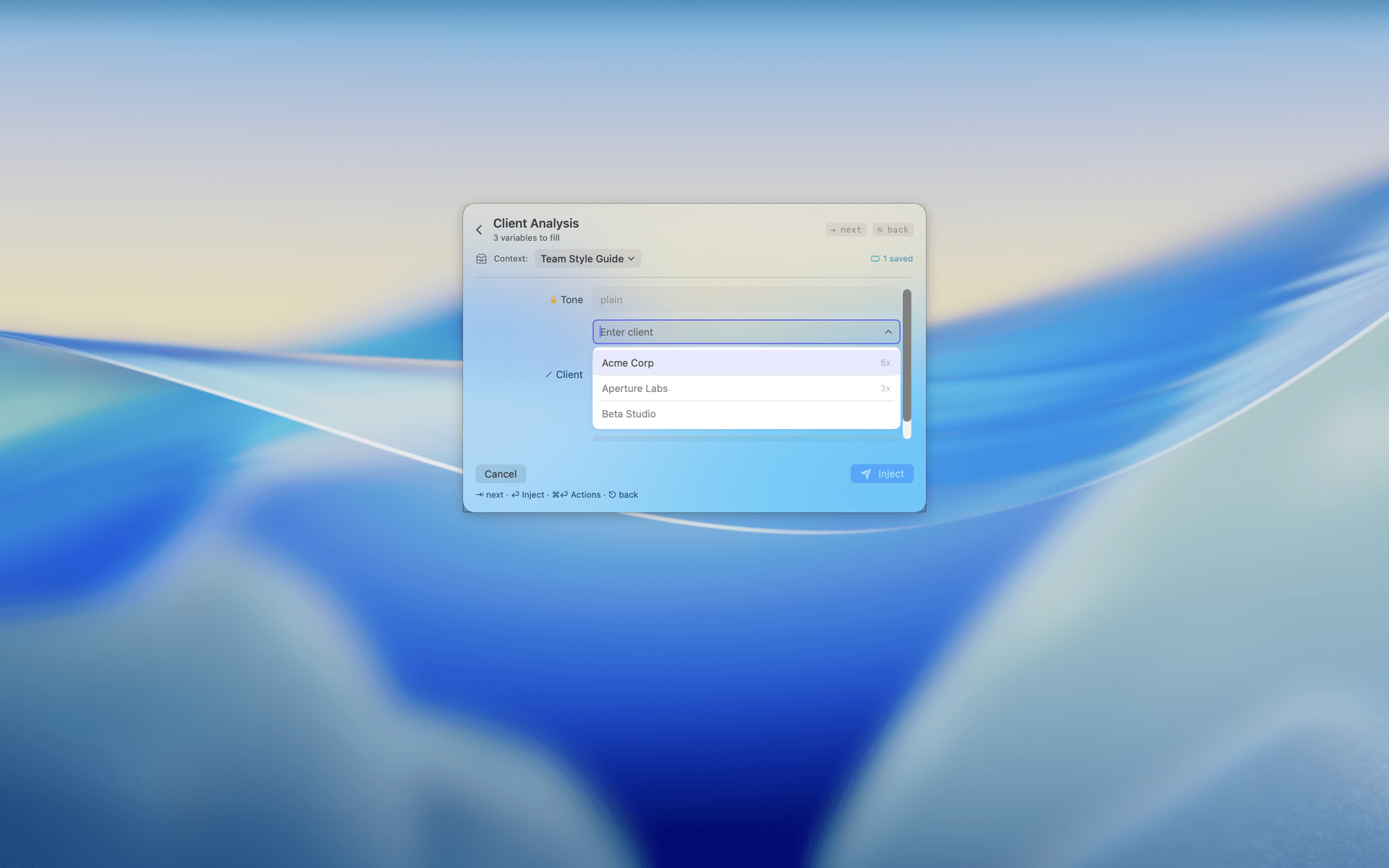
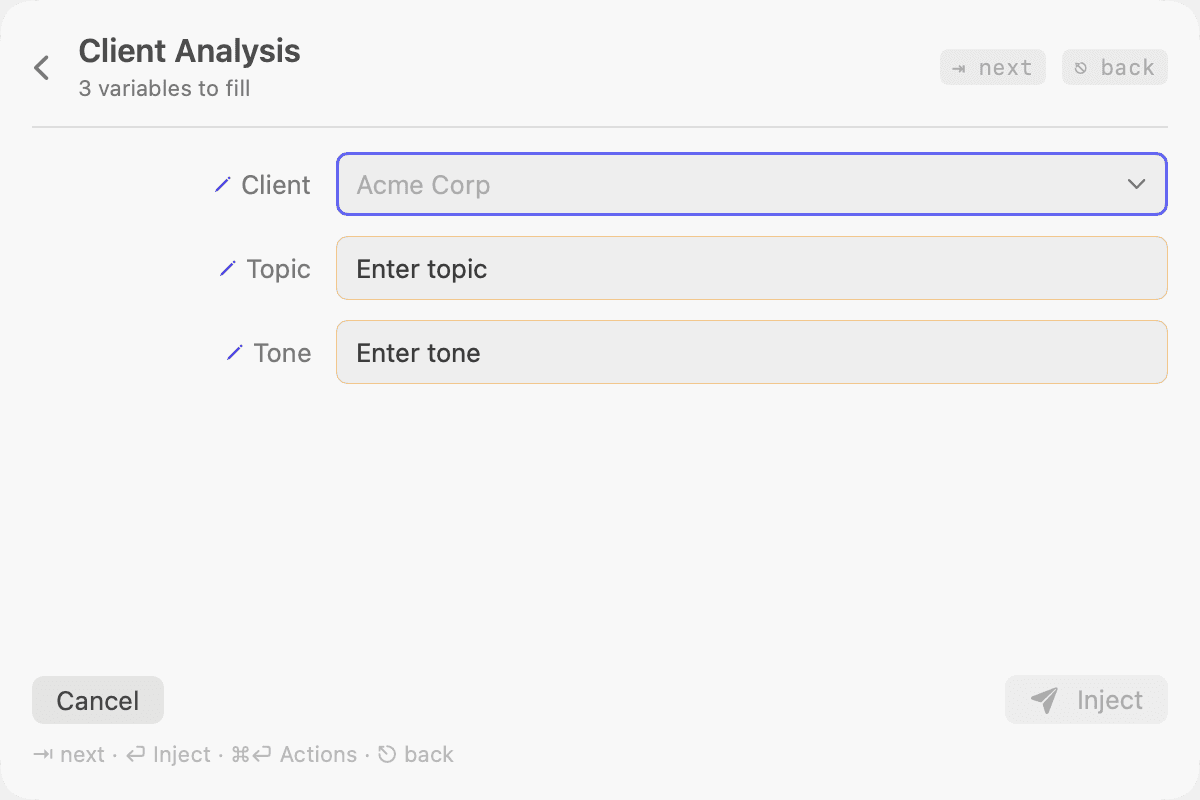
LightVariable fill for Client Analysis — context attached, saved values suggested with usage counts (light appearance)
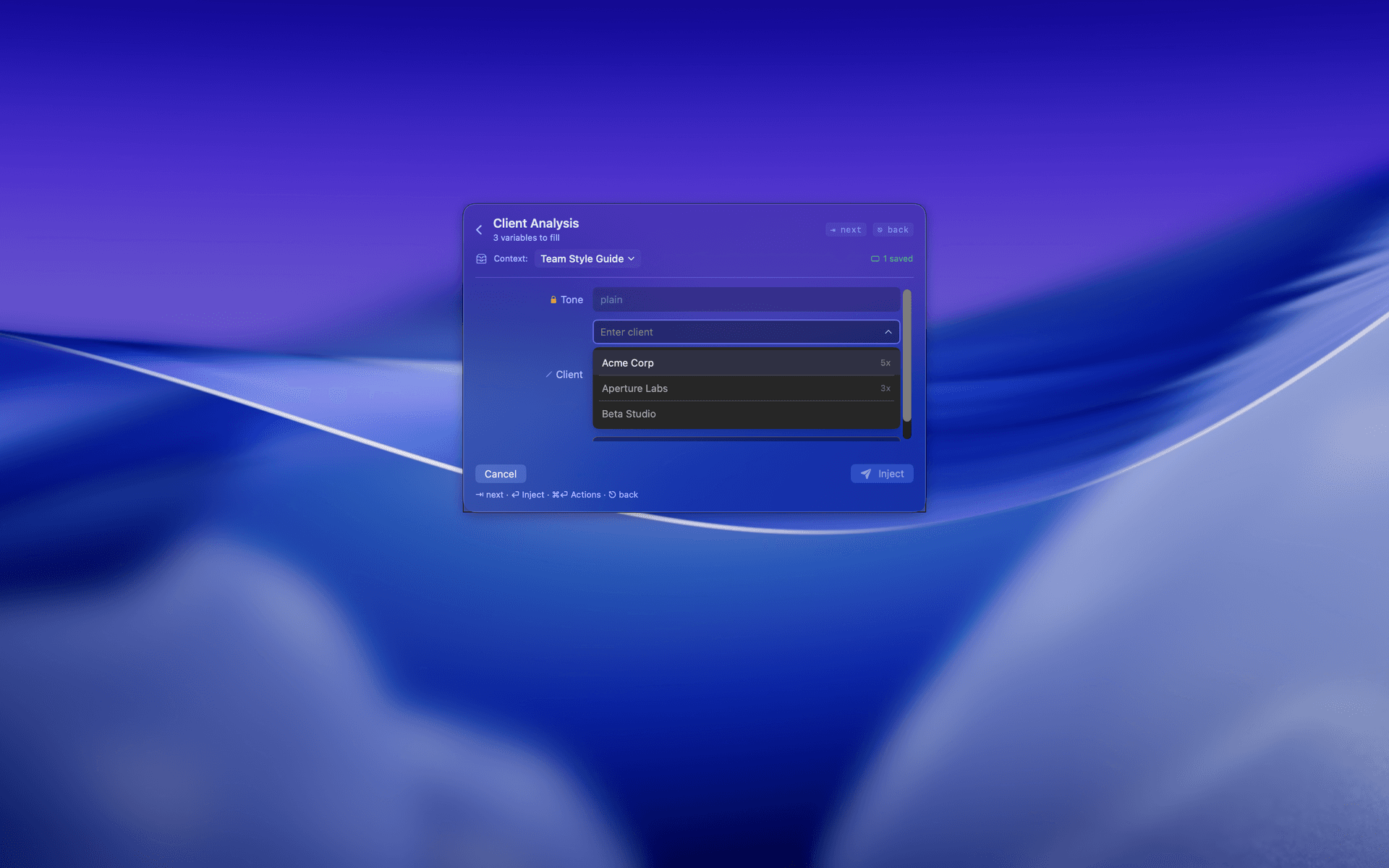
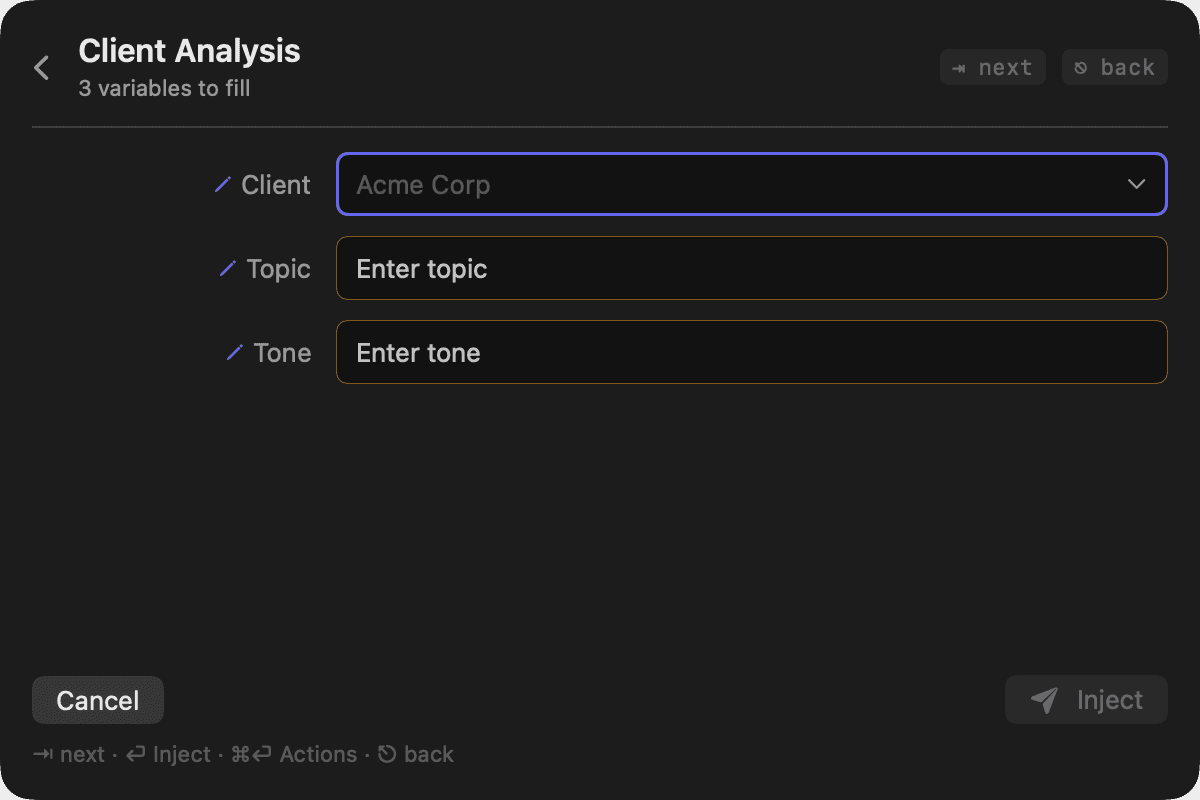
DarkVariable fill for Client Analysis — context attached, saved values suggested with usage counts (dark appearance)
Variable fill for Client Analysis — context attached, saved values suggested with usage counts
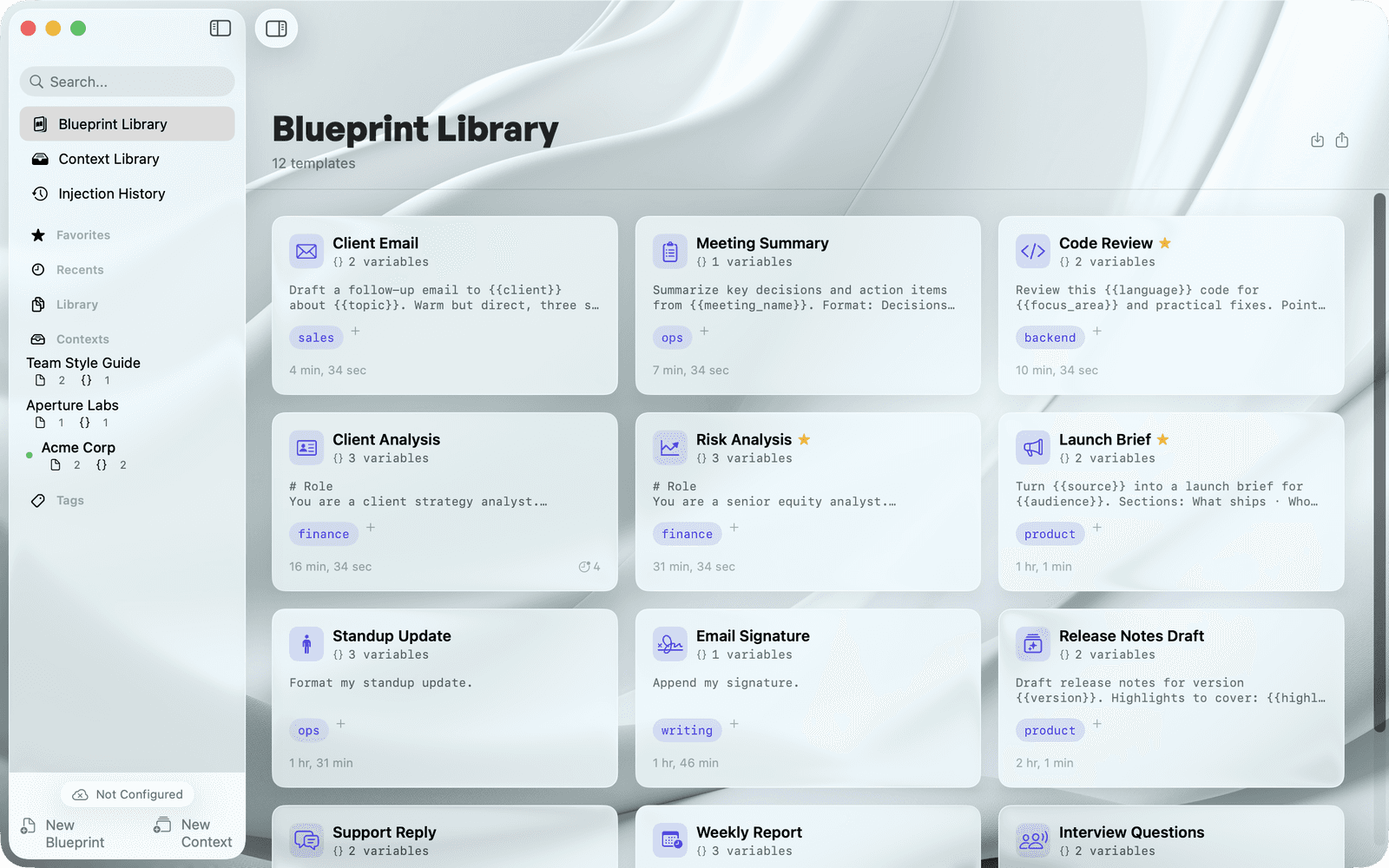
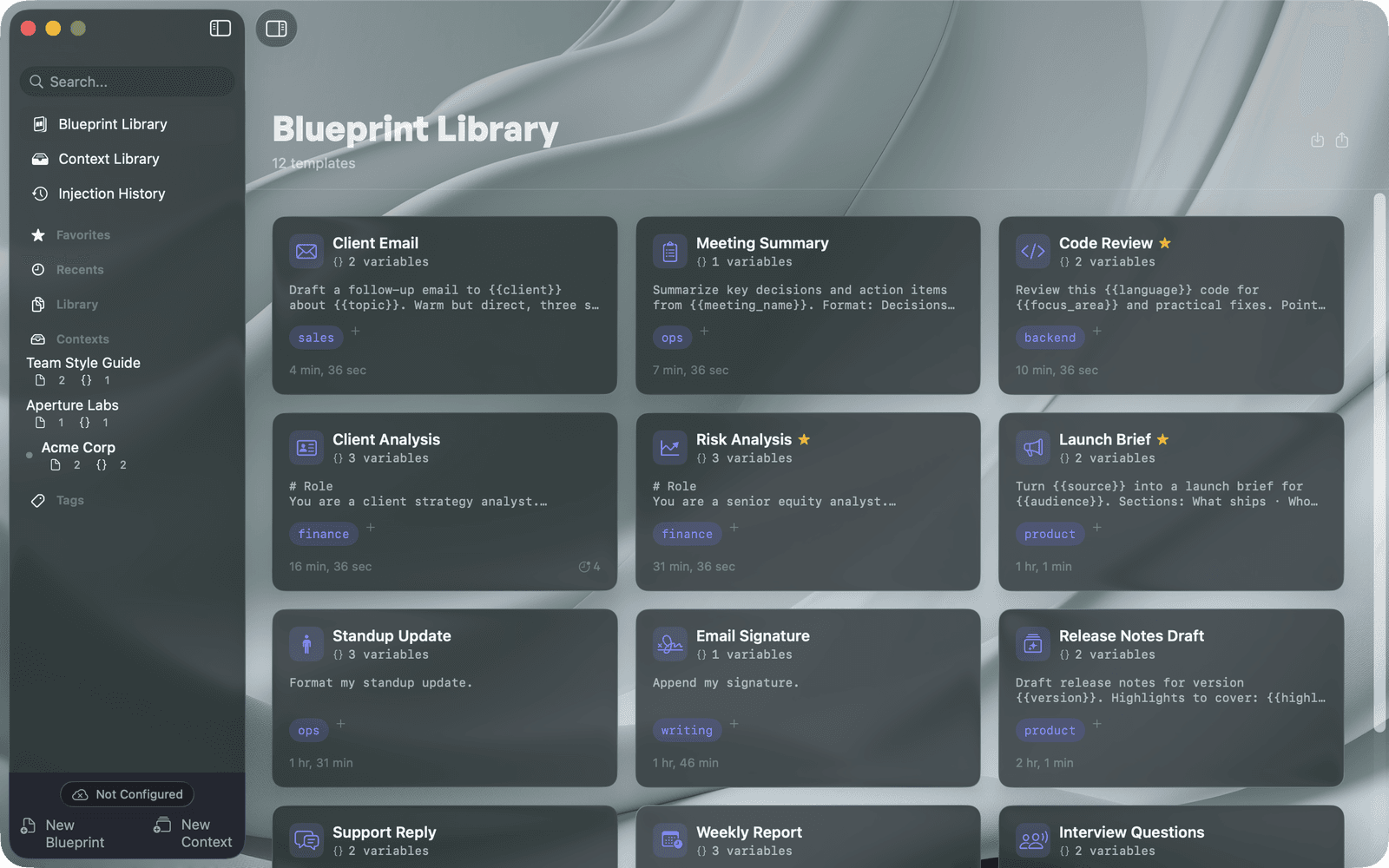
LightThe Blueprint Library — reusable prompts with tags, variables, and favorites (light appearance)
DarkThe Blueprint Library — reusable prompts with tags, variables, and favorites (dark appearance)
The Blueprint Library — reusable prompts with tags, variables, and favorites
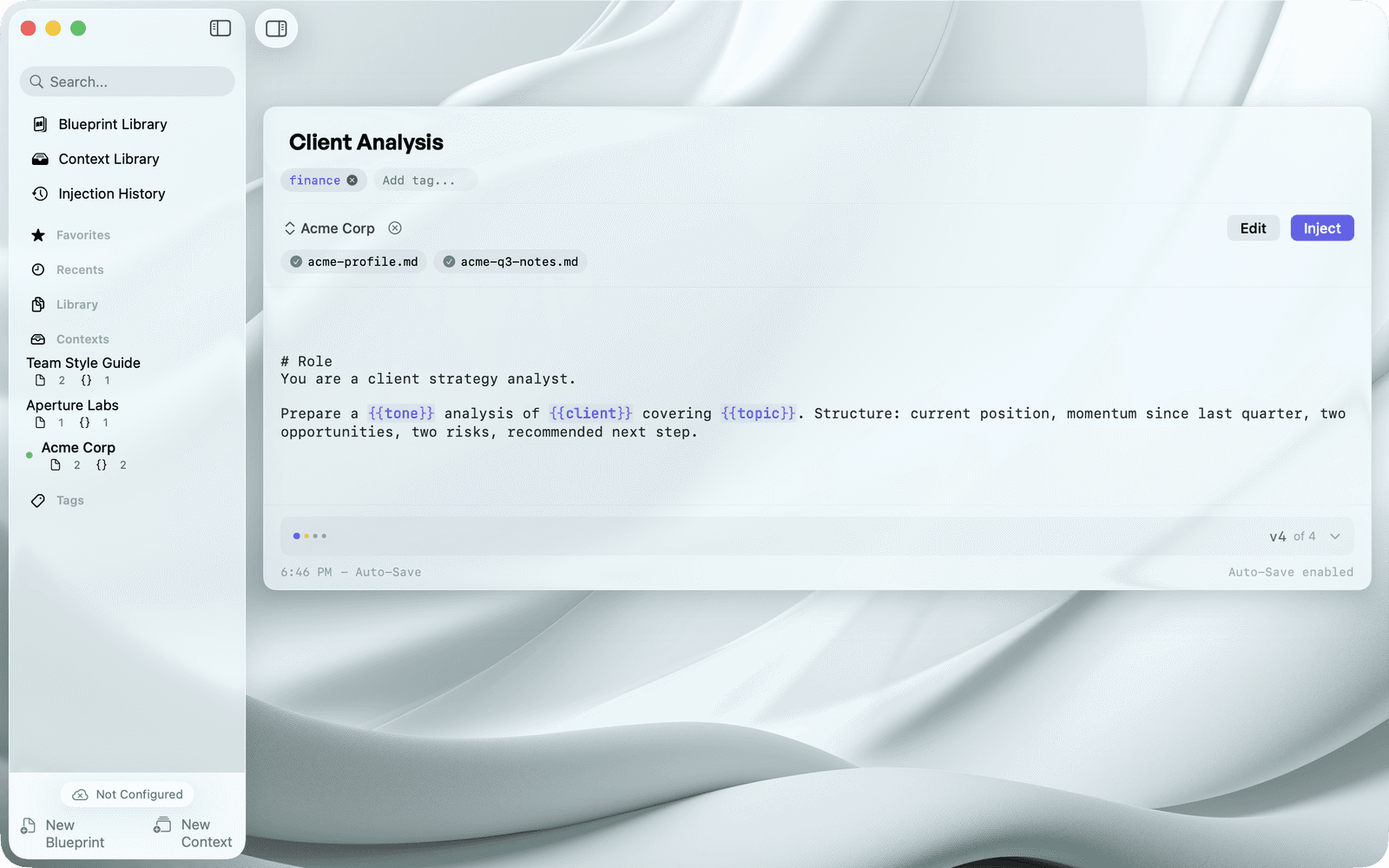
Editing a Blueprint — tokens highlighted, context files docked
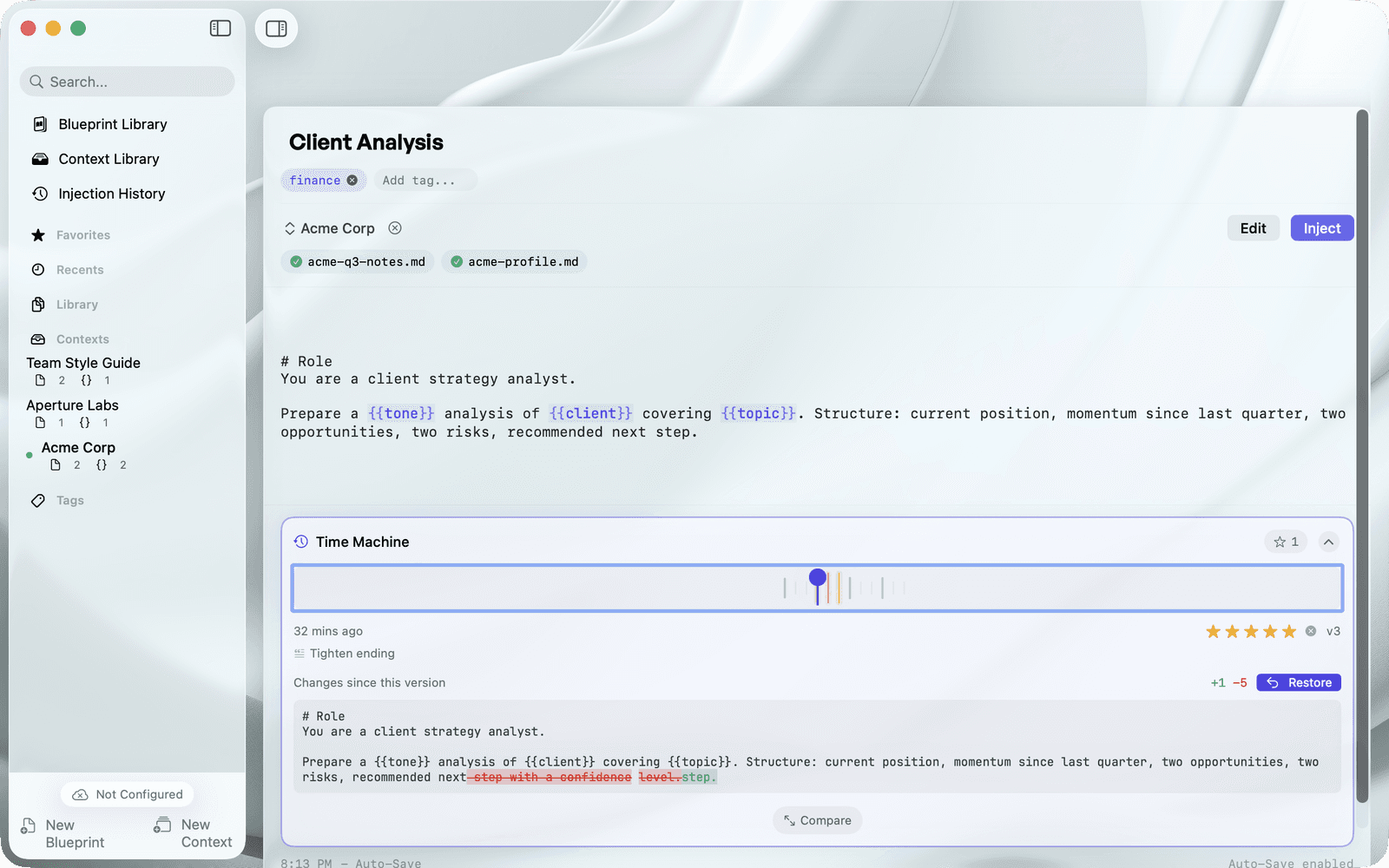
Time Machine — version history with ratings, diff, and restore
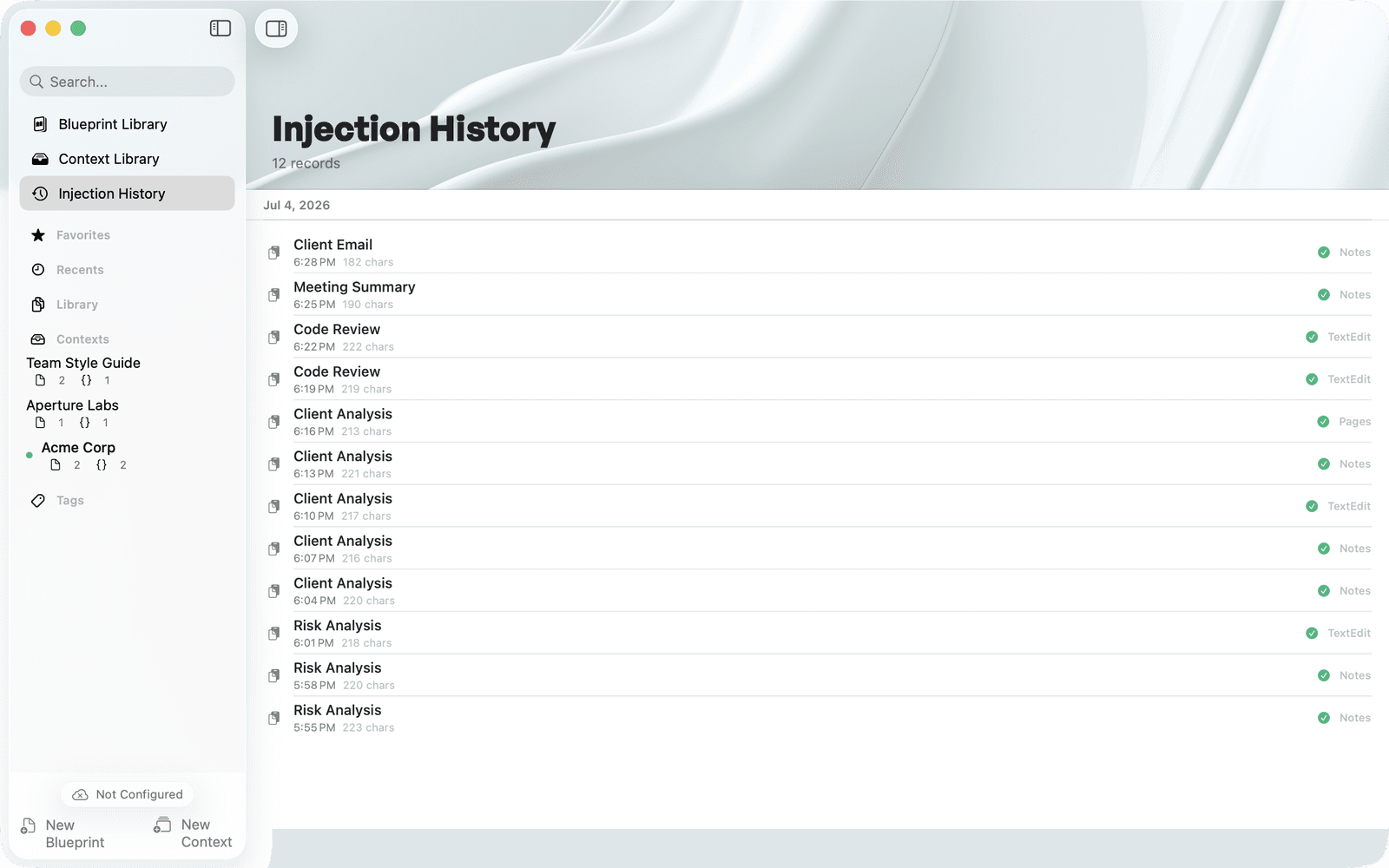
Injection History — every inject recorded with its target app
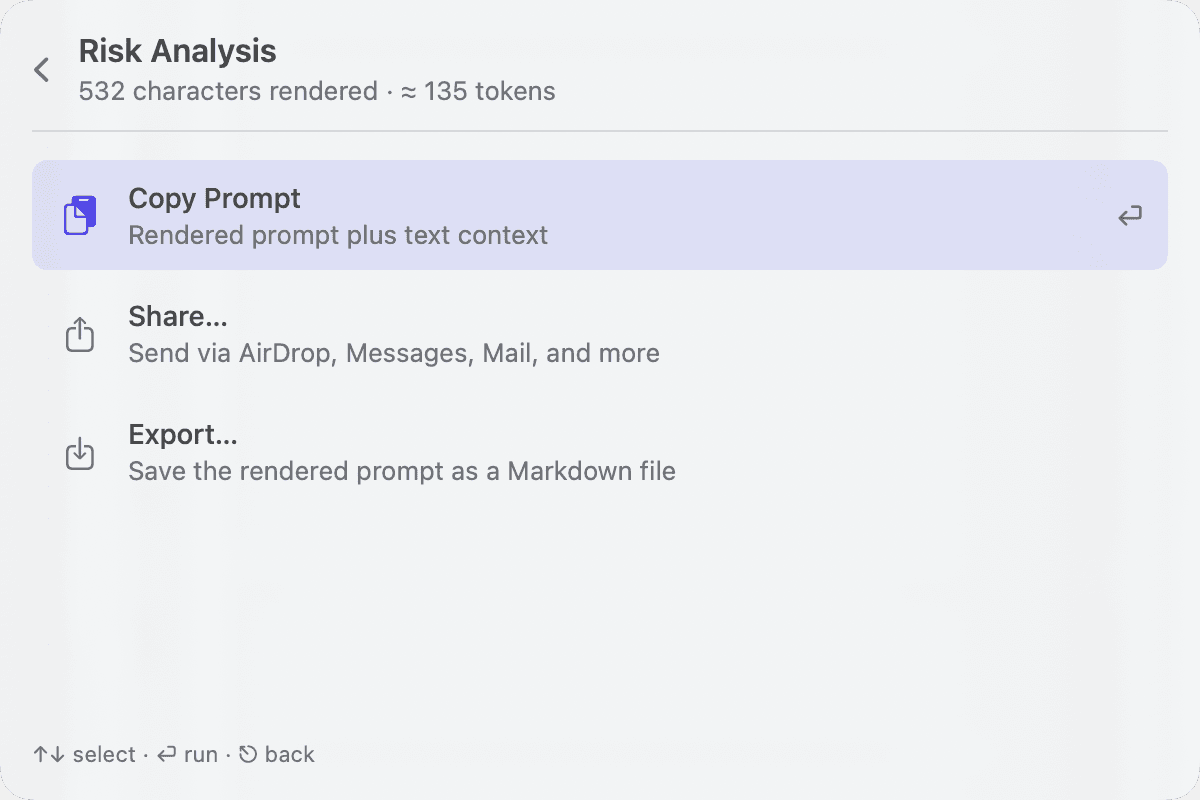
Blueprint actions — copy, share, or export the rendered prompt
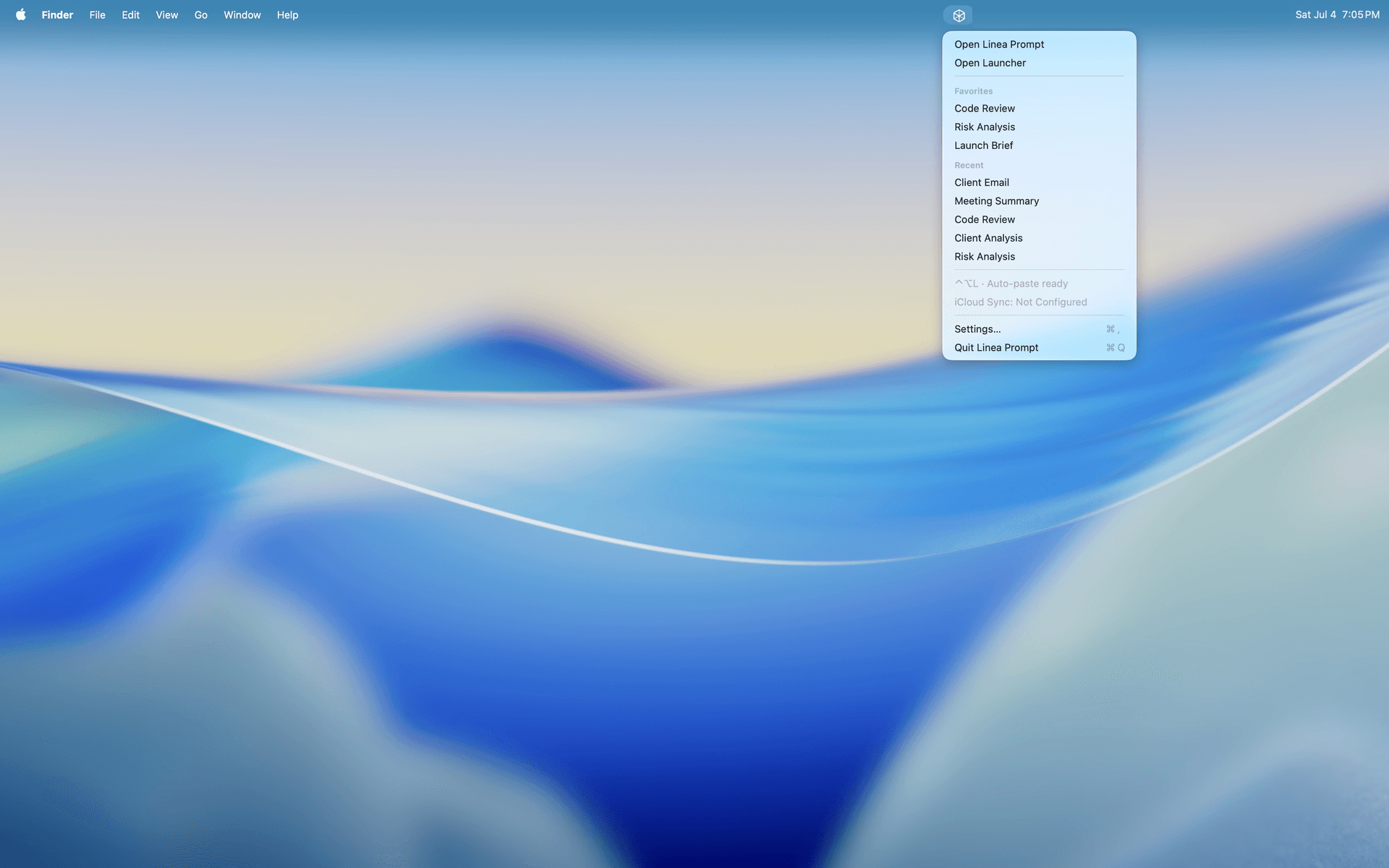
The menu-bar companion — favorites and recents one click away
Interface detail

Product-depth detail panels

Closer looks at filling Variables, the docked form, Settings, and the import wizard, each captured in light and dark appearance.
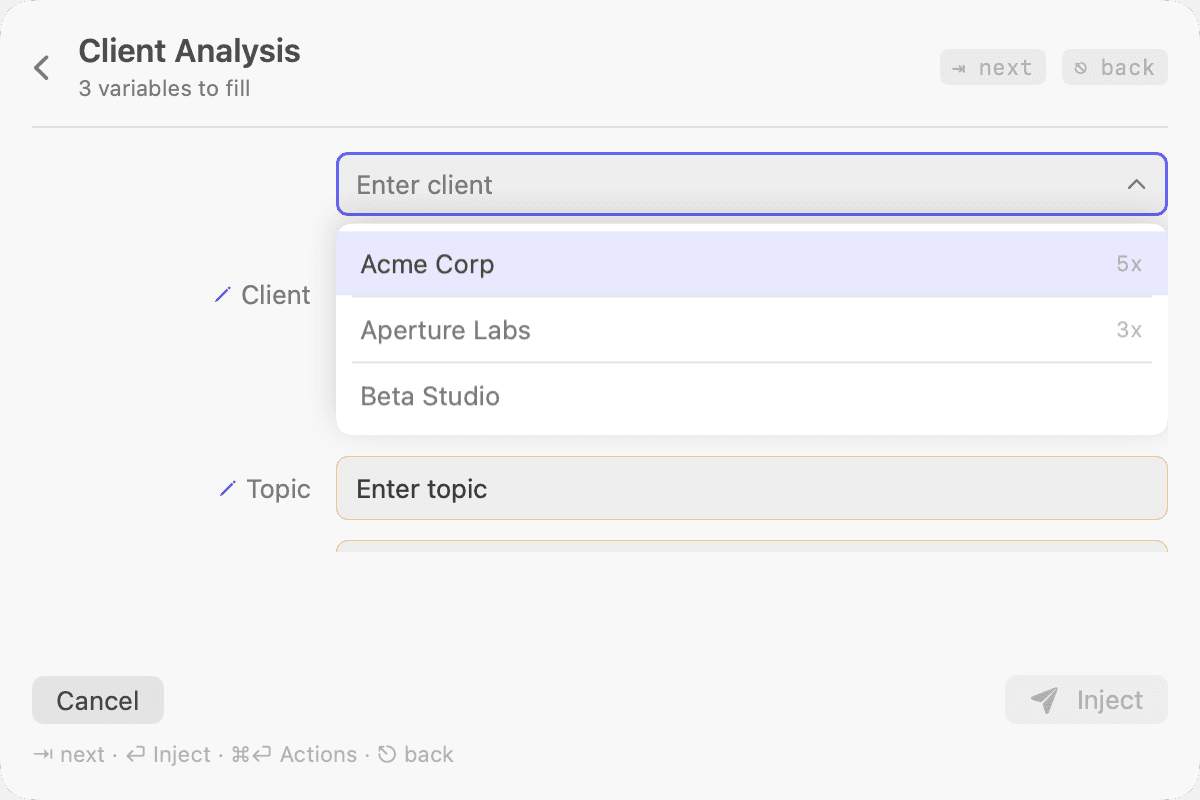
LightSaved variable values suggested with usage counts (light appearance)
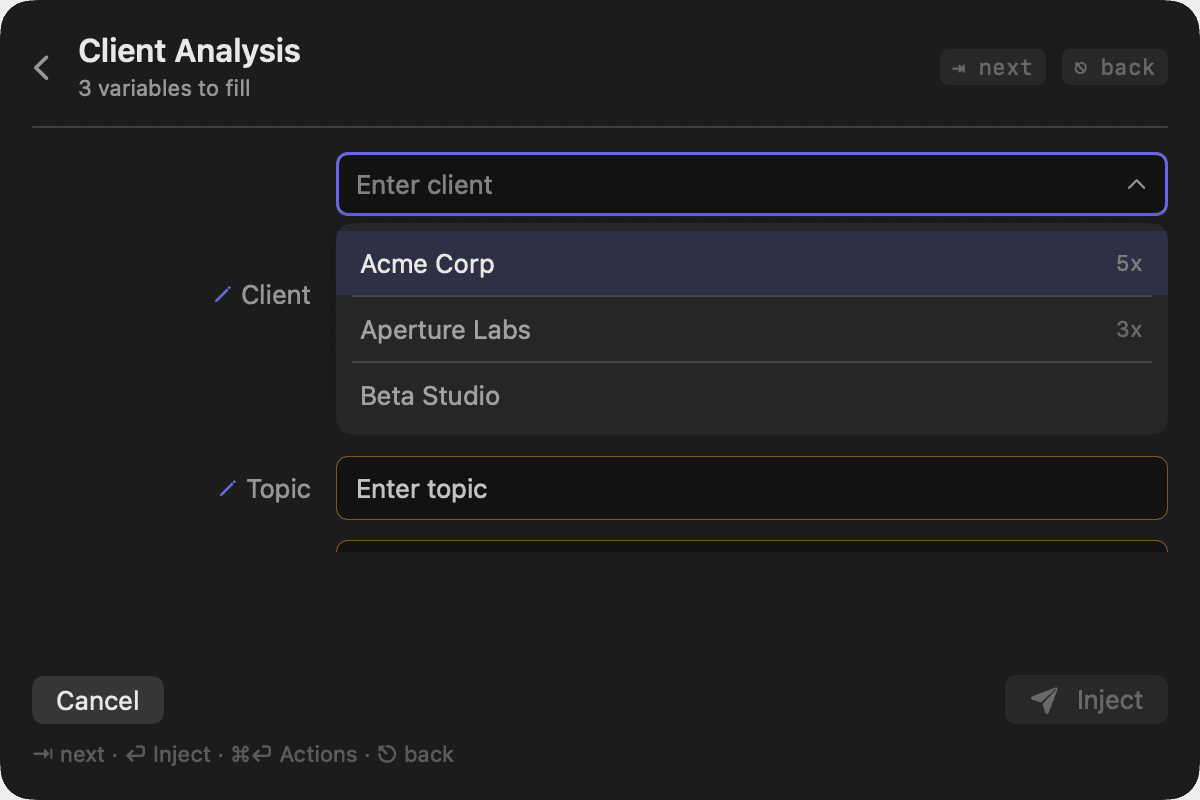
DarkSaved variable values suggested with usage counts (dark appearance)
Saved variable values suggested with usage counts
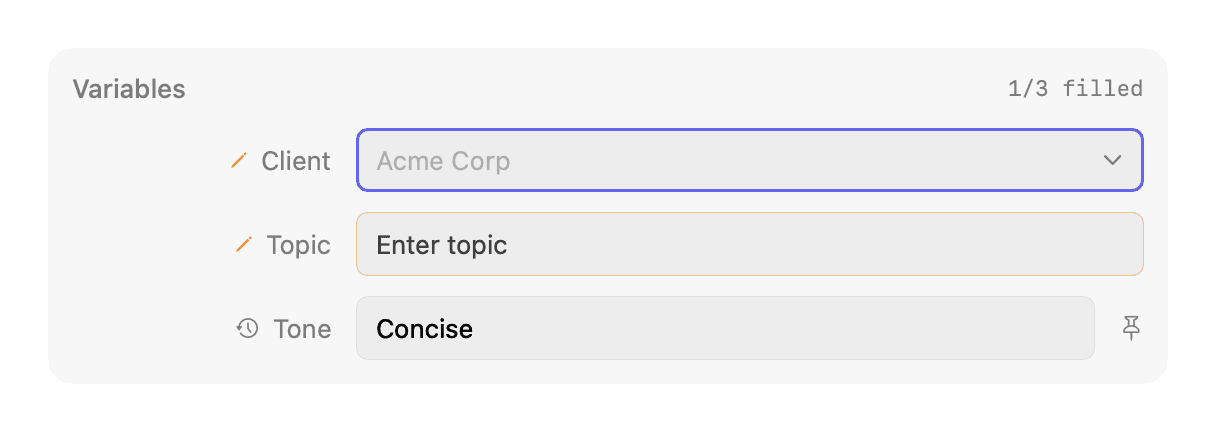
LightGhost-text suggestion in the variable form (light appearance)
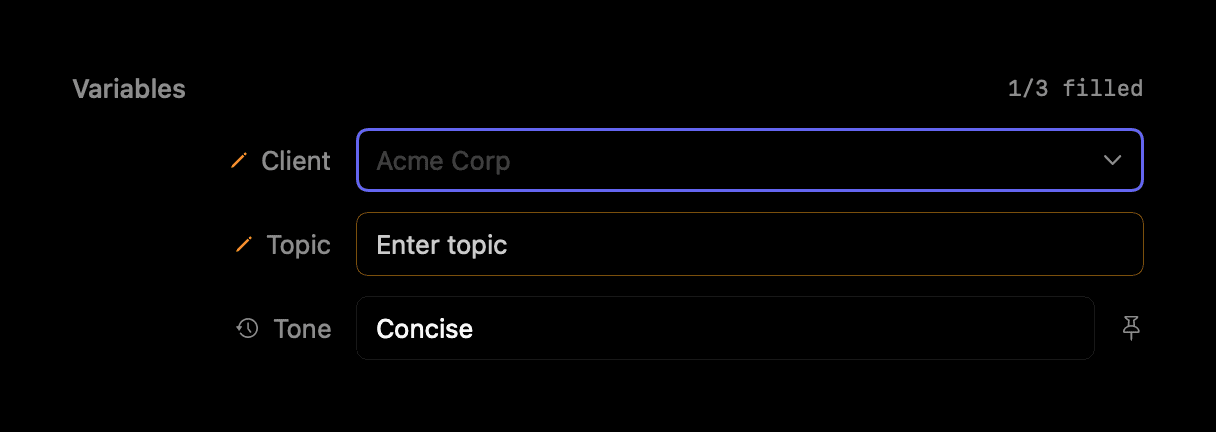
DarkGhost-text suggestion in the variable form (dark appearance)
Ghost-text suggestion in the variable form
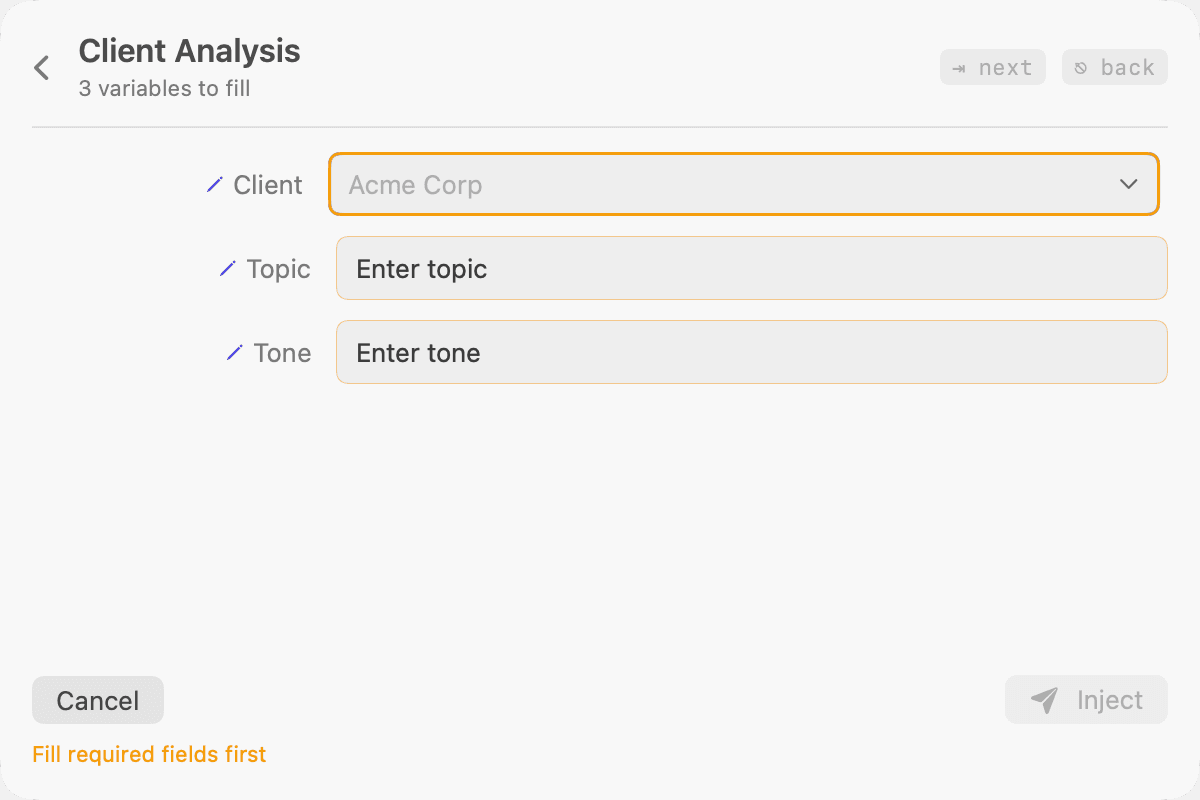
LightRequired-field guard before inject (light appearance)
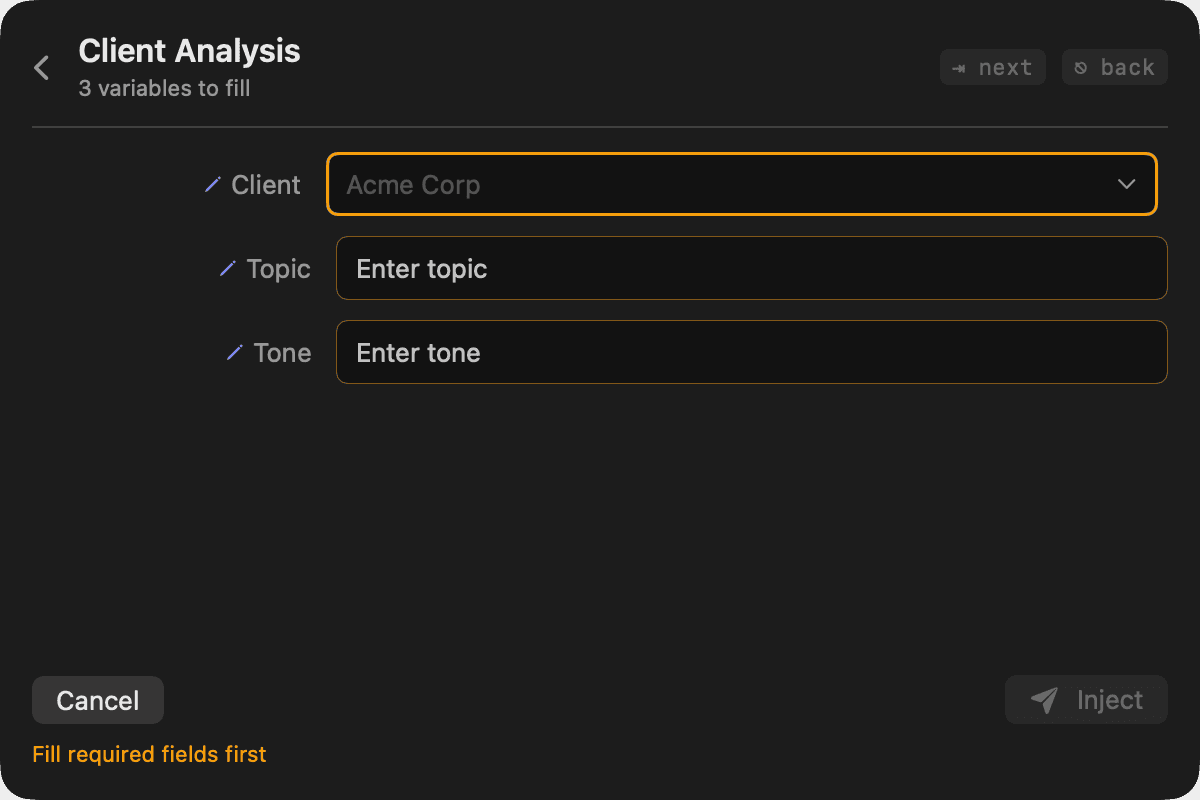
DarkRequired-field guard before inject (dark appearance)
Required-field guard before inject
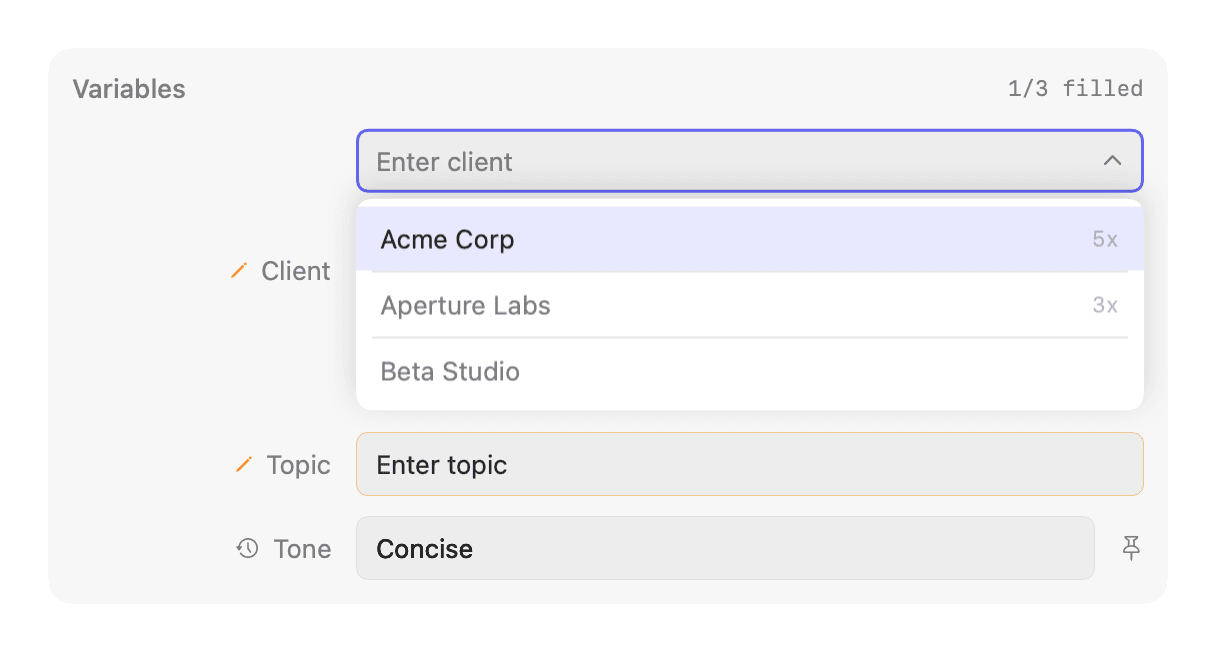
LightDocked variable form — saved-value dropdown open (light appearance)
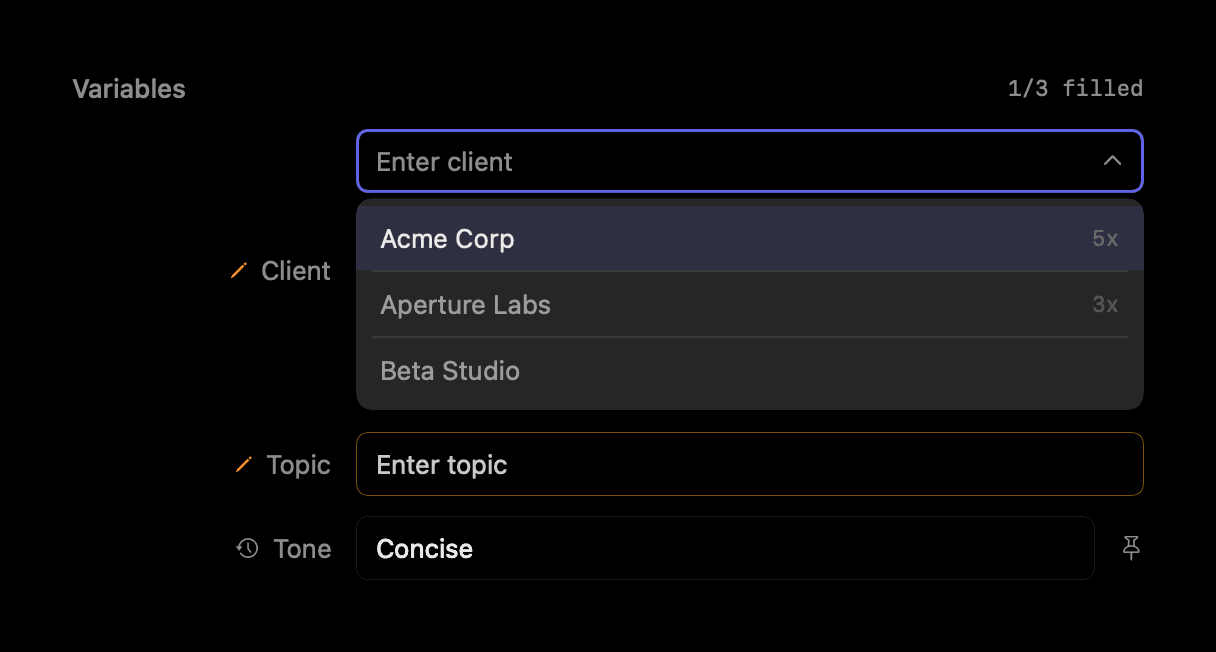
DarkDocked variable form — saved-value dropdown open (dark appearance)
Docked variable form — saved-value dropdown open
LightDocked variable form — ghost-text suggestion in a field (light appearance)
DarkDocked variable form — ghost-text suggestion in a field (dark appearance)
Docked variable form — ghost-text suggestion in a field
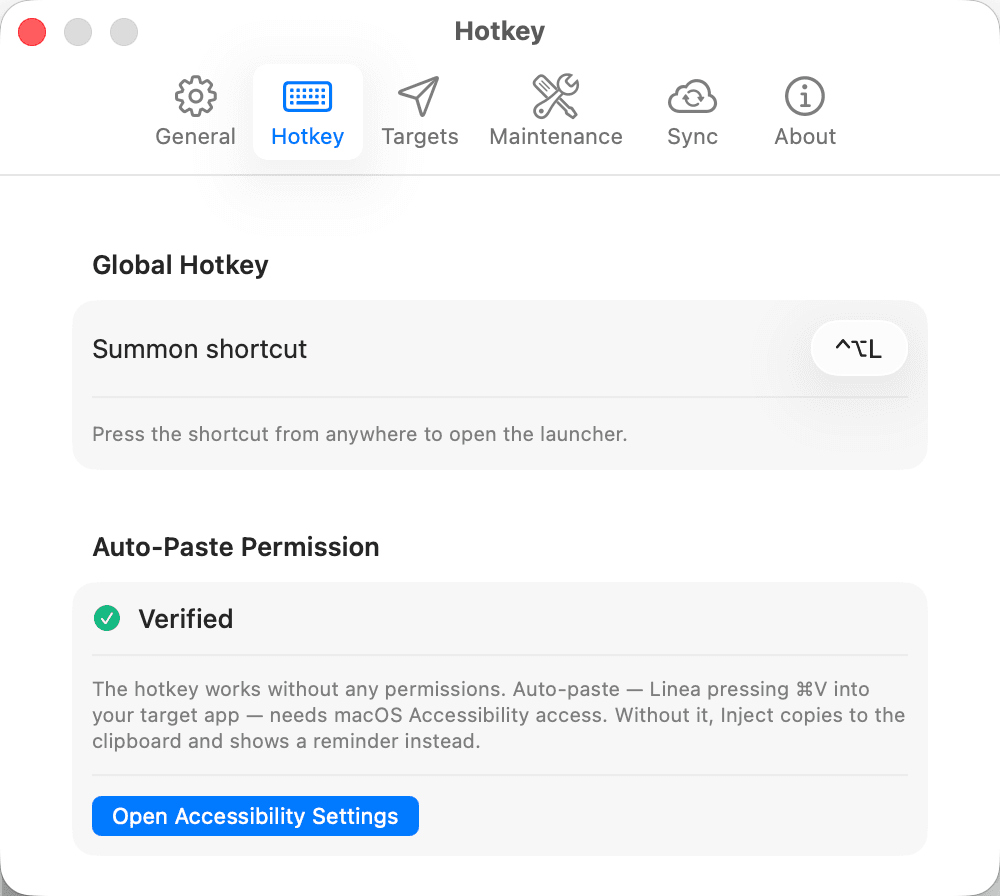
LightSettings · Hotkey — summon shortcut and the Auto-Paste permission model (light appearance)
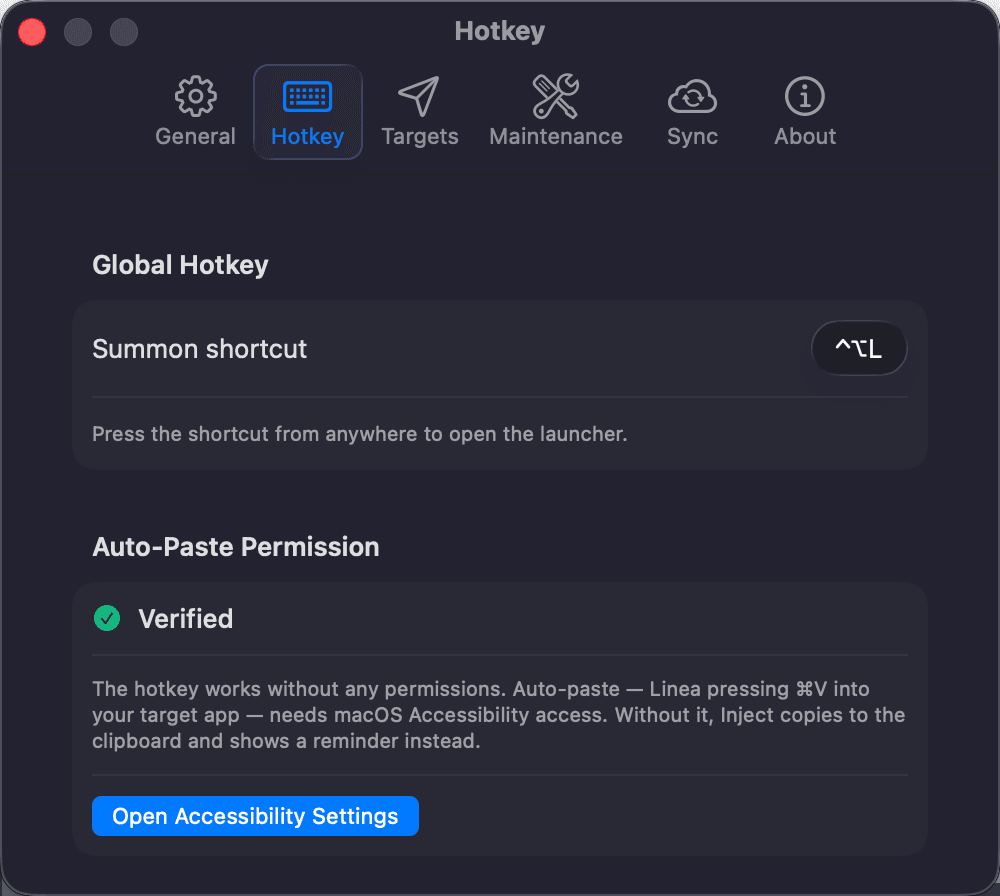
DarkSettings · Hotkey — summon shortcut and the Auto-Paste permission model (dark appearance)
Settings · Hotkey — summon shortcut and the Auto-Paste permission model
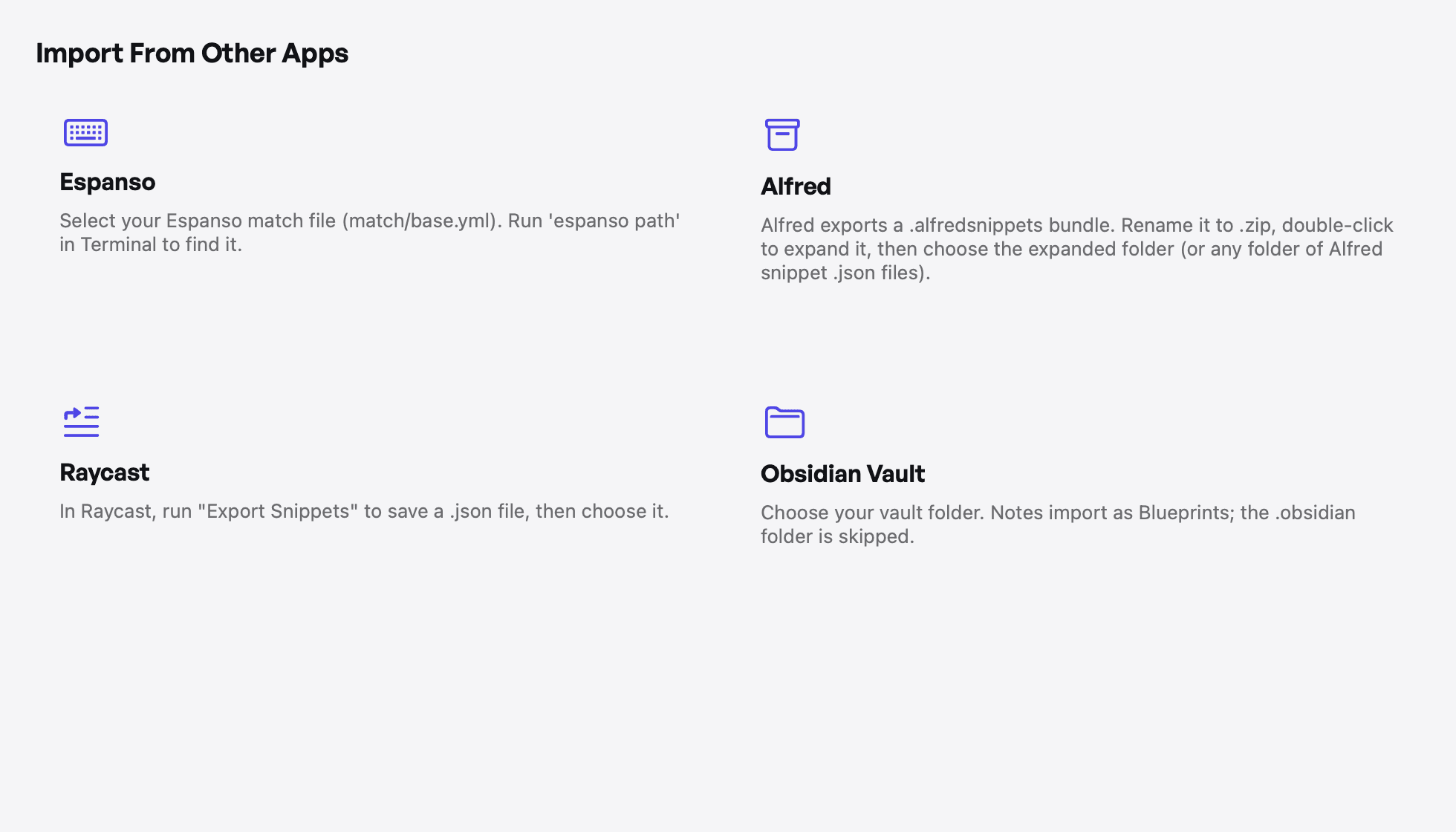
LightImport from Espanso, Alfred, Raycast, and Obsidian — choose a source (light appearance)
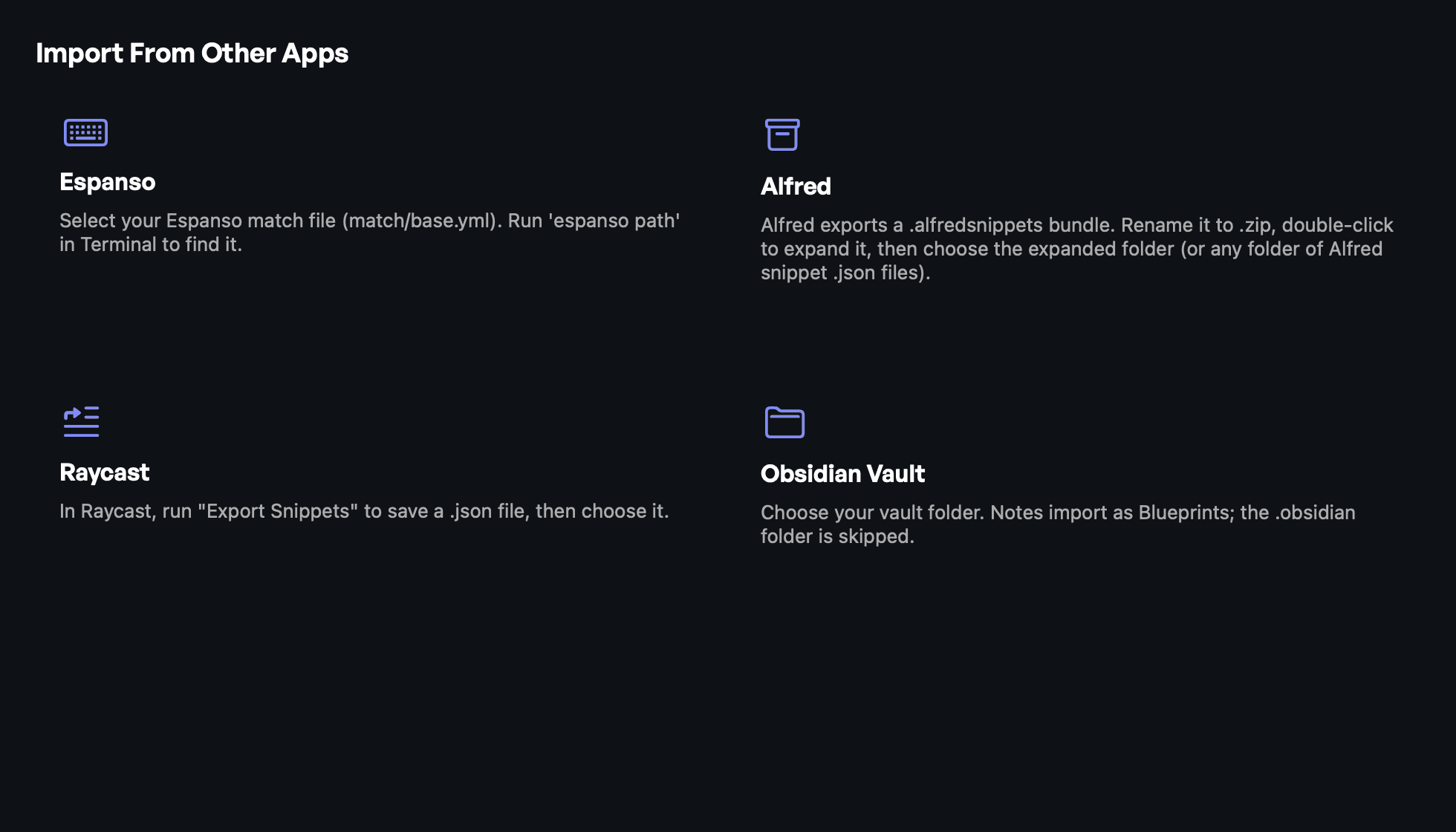
DarkImport from Espanso, Alfred, Raycast, and Obsidian — choose a source (dark appearance)
Import from Espanso, Alfred, Raycast, and Obsidian — choose a source
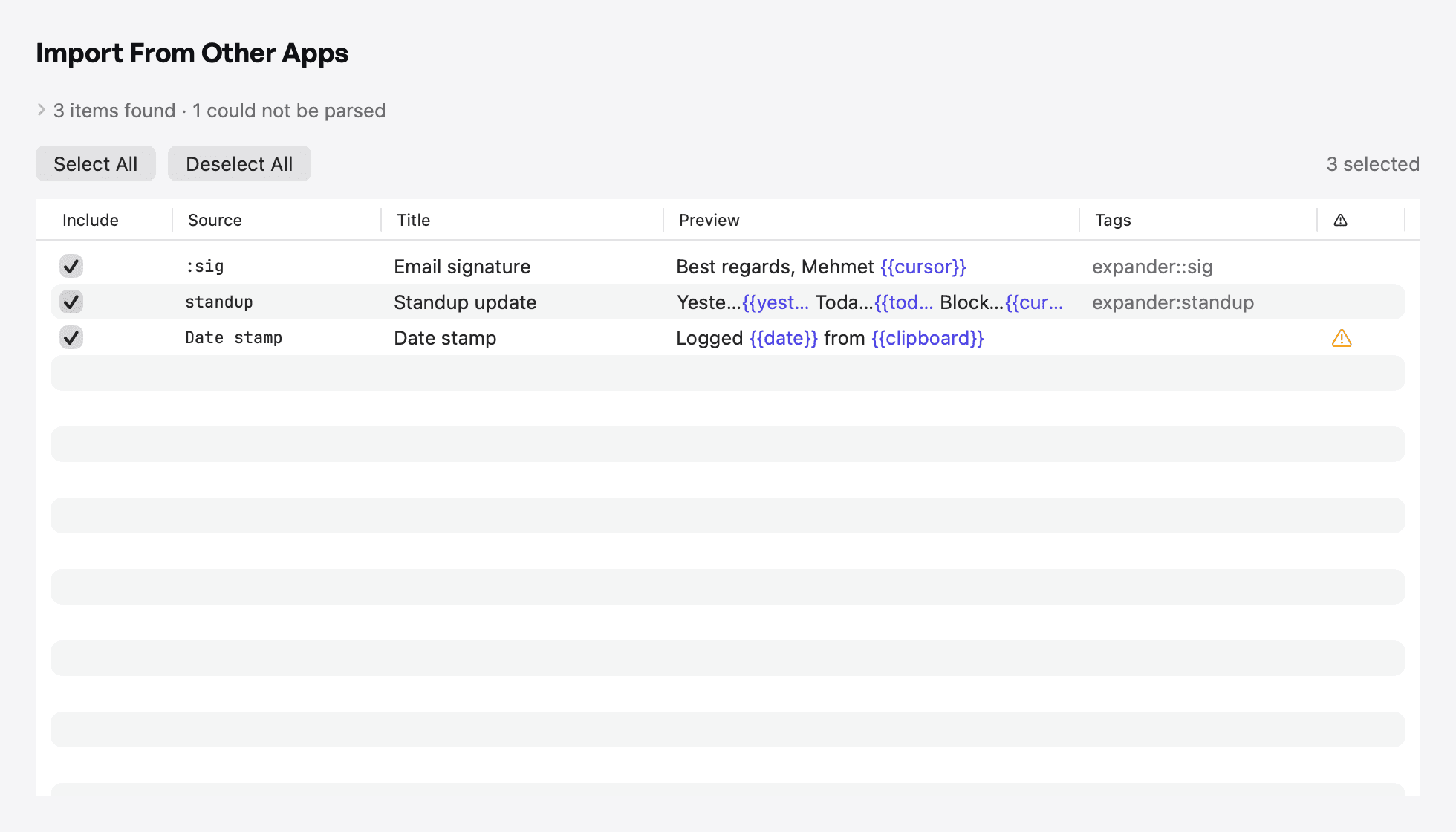
LightImport from Espanso, Alfred, Raycast, and Obsidian — preview what will import (light appearance)
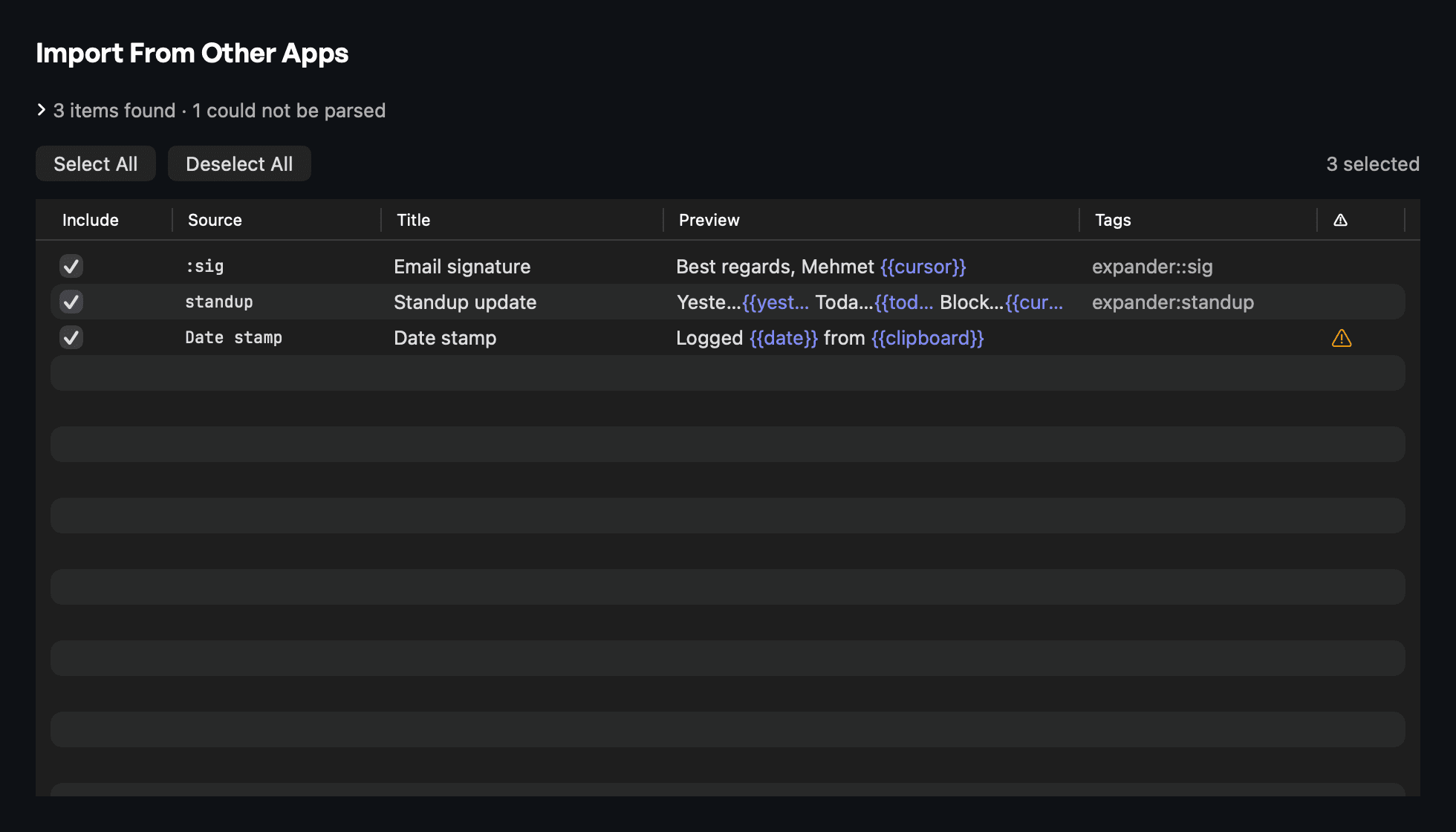
DarkImport from Espanso, Alfred, Raycast, and Obsidian — preview what will import (dark appearance)
Import from Espanso, Alfred, Raycast, and Obsidian — preview what will import
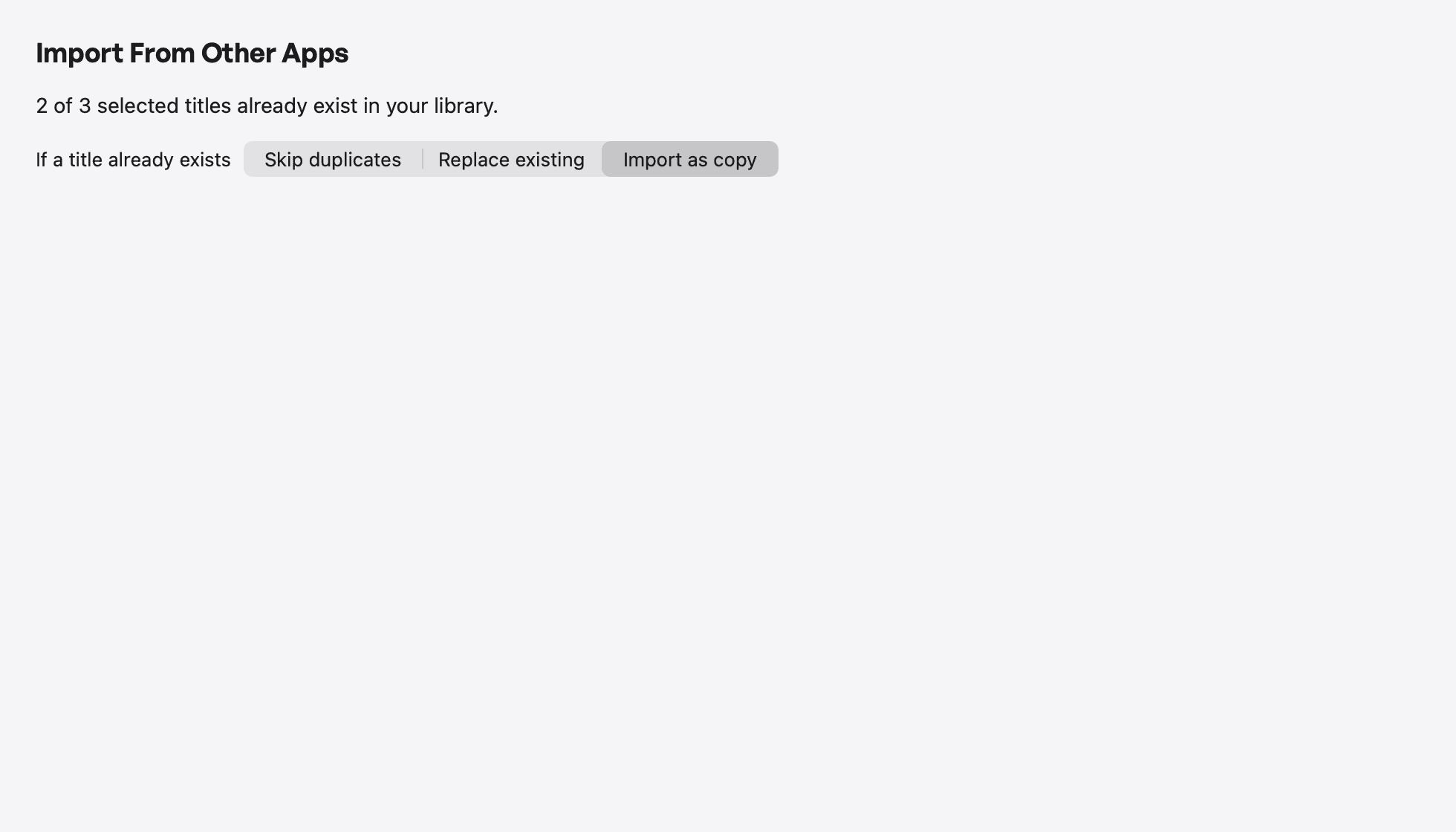
LightImport from Espanso, Alfred, Raycast, and Obsidian — duplicate handling (light appearance)
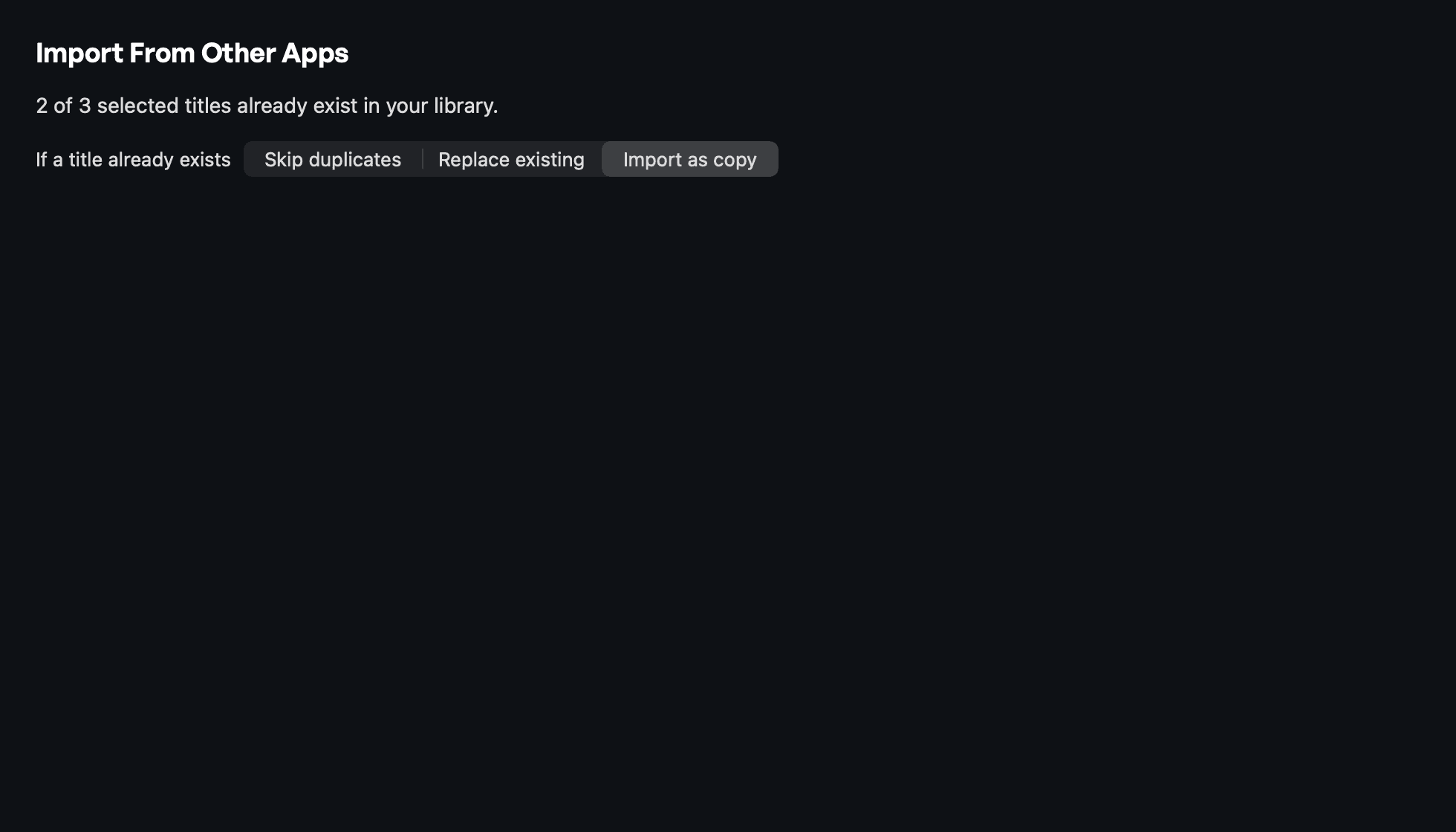
DarkImport from Espanso, Alfred, Raycast, and Obsidian — duplicate handling (dark appearance)
Import from Espanso, Alfred, Raycast, and Obsidian — duplicate handling
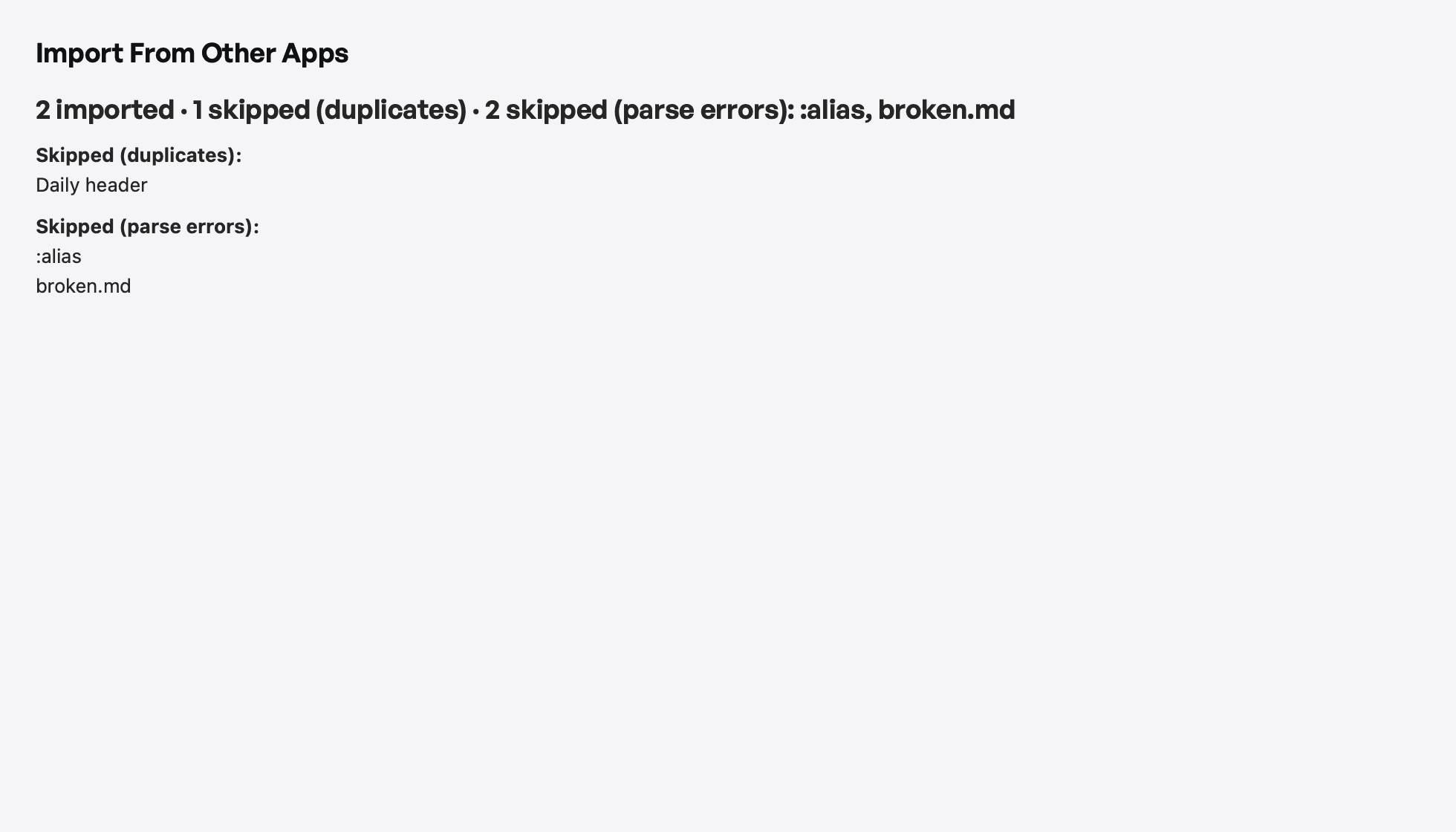
LightImport from Espanso, Alfred, Raycast, and Obsidian — import summary (light appearance)
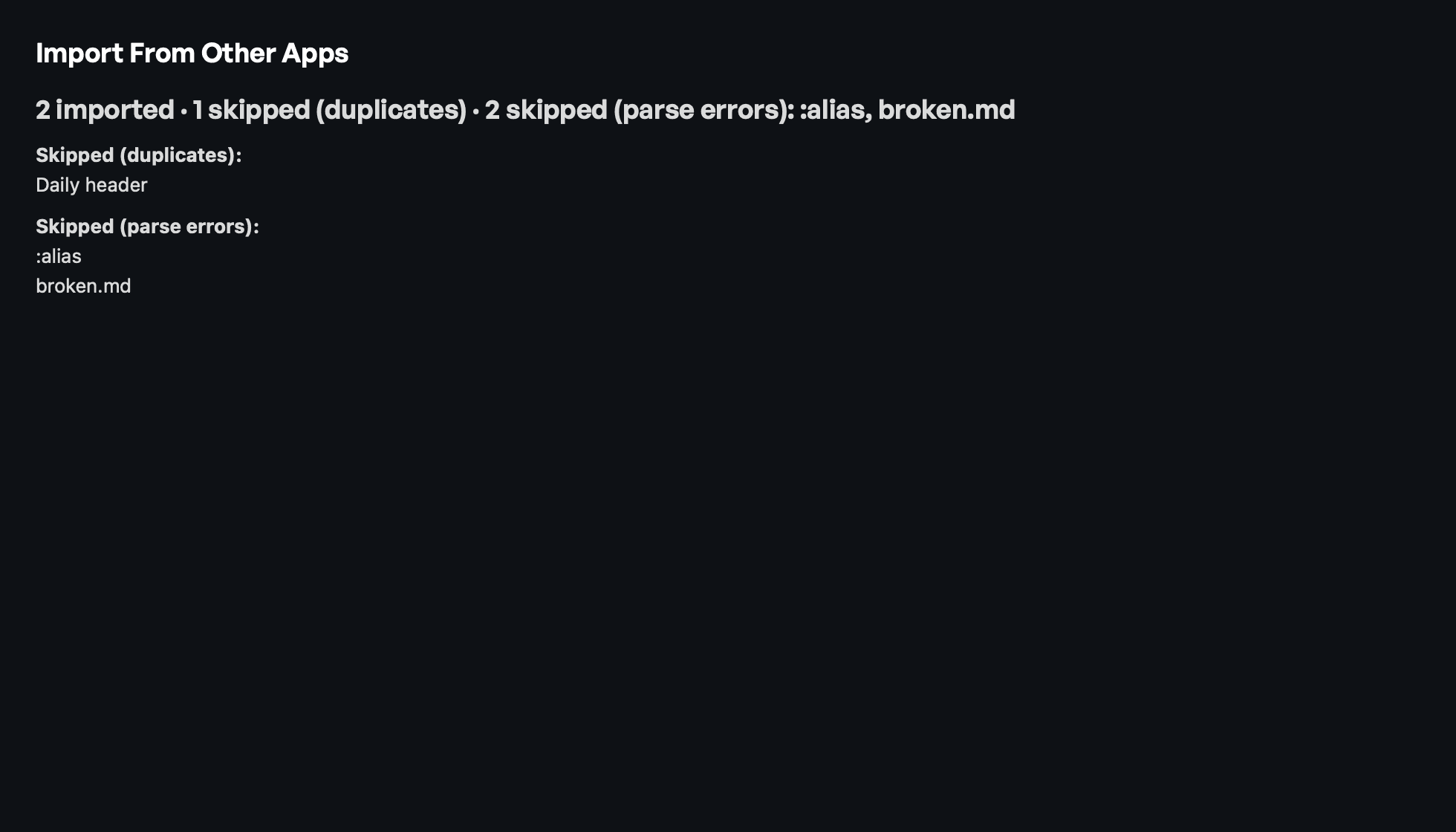
DarkImport from Espanso, Alfred, Raycast, and Obsidian — import summary (dark appearance)
Import from Espanso, Alfred, Raycast, and Obsidian — import summary

Usage guidelines

Do

  • Publish these images unaltered and uncropped.
  • Credit Linea Prompt (and Akgunay Labs) when publishing.
  • Link to lineaprompt.com when covering the beta.
  • Use the app icon at its original aspect ratio.

Don't

  • Recreate the interface with your own fake data or copy.
  • Imply App Store or TestFlight availability. Linea Prompt ships as a direct macOS download.
  • State a final price or subscription plan; Linea Prompt is in free beta with founder terms before 1.0.
  • Reuse assets from anywhere other than this kit.